News
Site Editor
 Site
/uploads/image/6307135a29359.png
To help you make the best decision, this guide explains how heat affects SSDs, when extra cooling is helpful, and how to manage M.2 NVMe temperatures effectively.
Site
/uploads/image/6307135a29359.png
To help you make the best decision, this guide explains how heat affects SSDs, when extra cooling is helpful, and how to manage M.2 NVMe temperatures effectively.
Do M.2 NVMe SSDs Need a Heatsink? A Practical Guide to Better Cooling Performance
Views: 8254
Author: Site Editor
Publish Time: 2025-12-30
Origin: Site
When people upgrade their storage, one of the most common questions that comes up is whether an SSD needs extra cooling. This is an important topic, especially as modern M.2 NVMe SSDs become faster and more compact. The right choice depends on the type of SSD you use, your workload, and your overall system design.
To help you make the best decision, this guide explains how heat affects SSDs, when extra cooling is helpful, and how to manage M.2 NVMe temperatures effectively.
Do SSDs Need Additional Cooling?
NVMe SSDs, especially PCIe 4.0 and PCIe 5.0 models, run at much higher speeds than older SATA SSDs. These fast transfer rates generate more heat. When the temperature rises too high, the drive may trigger thermal throttling—a built-in safety mechanism that slows performance to prevent damage.
In regular everyday use, some SSDs stay within a safe temperature range even without extra cooling. However, high-performance NVMe models used for gaming, large file transfers, and data-heavy workloads often produce more heat. For these drives, effective SSD cooling can help maintain stable speeds and prevent sudden performance drops during heavy tasks.
How to Prevent NVMe SSD Overheating
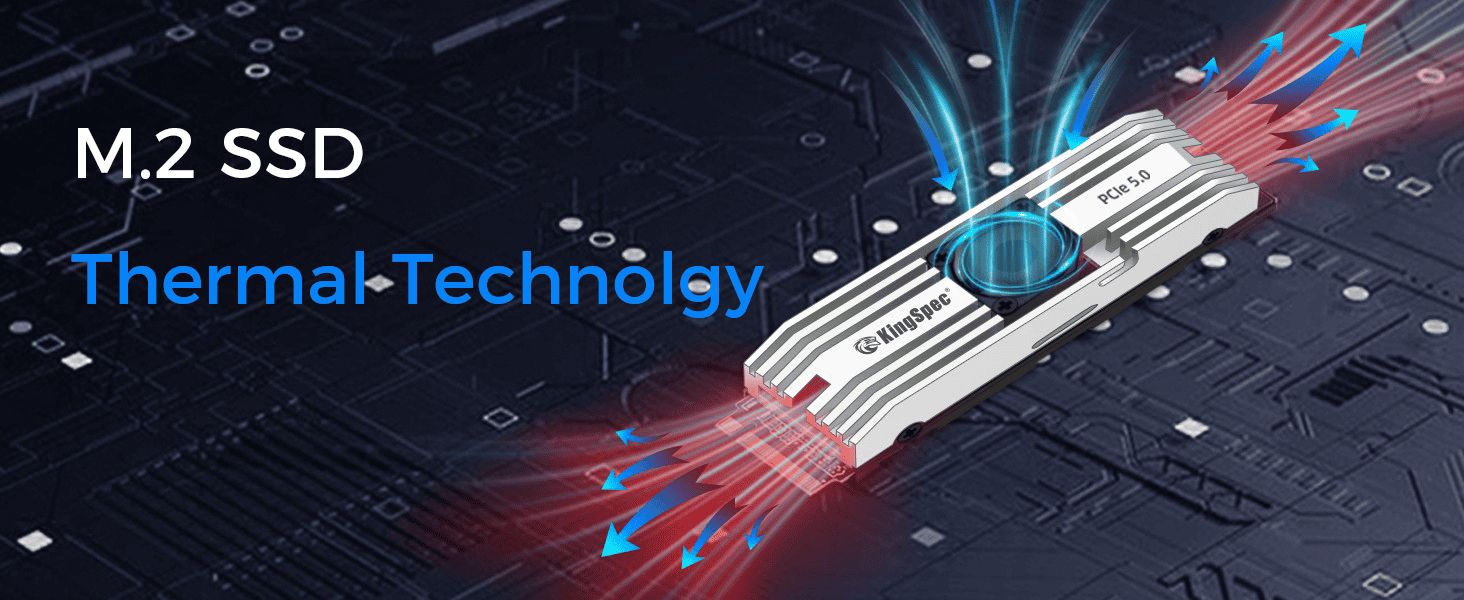
temperatures. Adding an intake or exhaust fan often makes a noticeable difference.
Avoid placing the SSD next to high-heat components: If your motherboard offers more than one M.2 slot, choose the one farther from the GPU or VRM area. This helps keep the SSD away from constant heat sources.
Keep cables organized: Loose or bundled cables can block airflow and trap heat around the SSD.
Monitor your temperatures: Tools such as CrystalDiskInfo or the system’s built-in hardware monitor allow you to check if the SSD is nearing thermal throttling levels.
These simple steps help maintain stable NVMe performance without requiring major changes to your system.
Passive Cooling for SSDs: Heatsinks and Thermal Pads
After improving airflow, the next common method of SSD cooling is passive cooling. Passive cooling includes using heatsinks, heat spreaders, or thermal pads to help pull heat away from the controller and NAND chips. A well-designed heatsink can keep your SSD in a more stable temperature range even under extended workload.
KingSpec OneBomm Gaming X500: An Example of Strong Thermal Design
Some SSDs come with built-in thermal solutions that make cooling more effective.
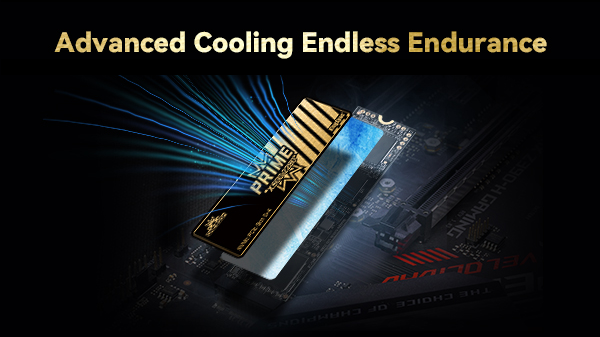
The X500 PCIe 5.0 SSD uses the 6 nm Silicon Motion SM2508 controller, which helps reduce heat and power consumption. In addition, it features a copper heat spreader and a thermal pad that work together to improve passive cooling. These features help keep temperatures stable during tasks like gaming, large file transfers, or professional workloads that require constant high-speed performance.
By combining an efficient controller with enhanced thermal materials, the X500 shows how modern SSDs can handle heat more effectively without the need for complicated cooling systems.
Do All SSDs Need a Heatsink?
As we move further into choosing the right solution, it is important to understand that not all SSDs require a heatsink. However, certain situations can make a heatsink highly beneficial.
SSD Type Matters
NVMe SSDs—especially high-speed PCIe 4.0 and PCIe 5.0 drives—produce more heat than SATA SSDs. If your drive is designed for high performance, adding a heatsink helps maintain consistent speeds and avoid thermal throttling.
Workload Plays a Major Role
Light daily work like browsing or office tasks generates minimal heat. But workloads such as 4K/8K video editing, large data transfers, and gaming can quickly increase SSD temperatures. If you often perform these tasks, a heatsink can help keep your system stable.
System Design and Airflow Conditions
Small-form-factor PCs, laptops, and compact gaming consoles generally have limited airflow, which makes it harder for heat to escape. M.2 SSDs installed in these environments can reach higher temperatures more easily.
One special case worth noting is water-cooled PC builds. While water cooling helps the CPU and GPU run cooler and quieter, many users remove most case fans to reduce noise. This results in poor airflow inside the case, making SSDs more vulnerable to heat buildup. In such systems, an NVMe heatsink becomes almost essential to maintain performance.
Through these examples, it’s clear that the need for SSD cooling depends on the overall system setup rather than a one-size-fits-all rule.
Conclusion: Keep Your SSD Cool for Best and Long-Lasting Performance
In summary, managing SSD temperature is important for both performance and reliability. While not every M.2 NVMe SSD requires a heatsink, high-performance drives and systems with limited airflow benefit greatly from additional cooling. Simple steps like improving airflow or adding a basic heatsink are often enough for everyday users. For heavy workloads, advanced thermal designs and better cooling solutions provide stable speed and longer drive lifespan.
If you are looking for an NVMe drive with efficient thermal performance, modern controller design, and enhanced cooling materials, KingSpec offers reliable SSD solutions that combine speed, stability, and effective heat control. Upgrade confidently and keep your storage performing at its best.


